 SpectreHub
Game servers
Pick a game and SpectreHub downloads and sets up the server. Start, stop and restart it, read the console, see who's on, and change its settings.
RustMinecraftValheimPalworldARK7 Days to DieProject ZomboidCS2+ any other
SpectreHub runs on your own PC and puts your game servers, home apps and devices on one dashboard. Start a Rust server, open your media server, wake the other PC, check your budget. From your desk or your phone.
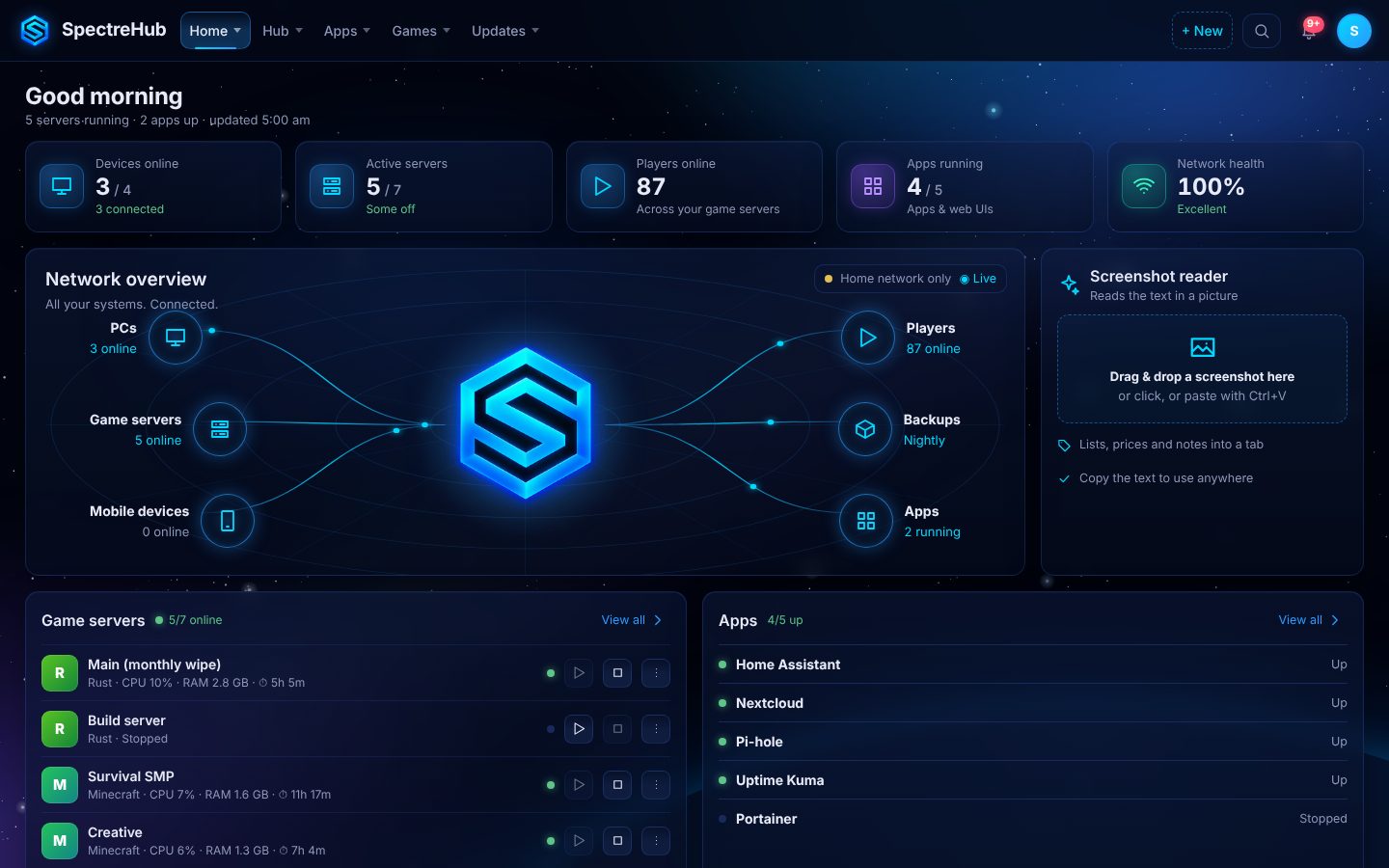
No more remembering ports, keeping five browser tabs open or walking to the PC to restart a server.
Pick a game and SpectreHub downloads and sets up the server. Start, stop and restart it, read the console, see who's on, and change its settings.
Every web app you run at home in one menu: media servers, download managers, Home Assistant, Pi-hole. They open inside the hub, show if they're up, and can start with it.
See which PCs are on and how hard they're working. Turn the other PC on from the hub with Wake-on-LAN, and keep an eye on network health.
Build tabs for game guides, server rules, notes and links, and put them in your own menus. Add any website to a menu, such as an interactive game map.
Paste a recipe site, a YouTube video, a TikTok or a screenshot and SpectreHub picks out the ingredients and steps. Change the servings, cook step by step, and build a shopping list.
Use it on your phone at home, and away from home at your own web address with a proper certificate. Everyone signs in first.
Write a post once and send it to your Discord channel, Facebook, Instagram, Threads, X and more. Share event times everyone reads in their own time zone.
Accounts, a monthly budget that shows what's left to spend, bills, savings goals, and a calculator for what you still owe someone.
A setup wizard asks what you want and builds your hub around it. Turn on Showcase mode to see it full of sample data before you add your own.
A dark, calm control room that shows what's running at a glance. These are real screens from SpectreHub in Showcase mode.
SpectreHub runs on your own PC. Your servers, budget, recipes and settings live in its folder there, not on someone else's cloud.
Game server panels, dashboards, bookmarks, budgeting and recipe apps usually mean separate tools and logins. SpectreHub brings them together.
SpectreHub runs a real home server every day: game servers, a media server and the family's apps. Backing it pays to finish it for everyone.
The plan is a single price with free updates, not a monthly subscription for software that runs on your own machine.
Dashboard, game servers, apps, devices, recipes and money, with a setup wizard and a Windows installer.
Launch the campaign and share early builds with backers.
A signed installer and a registered trade mark for the name.
SpectreHub on Steam, with a free demo you can try first.
A Windows 10 or 11 PC (64-bit) that stays on while you want your servers and apps available. The installer brings everything SpectreHub needs to run.
Yes. Pick a game from the list and SpectreHub downloads the server and gets it running. For a game that isn't on the list, add it as any other server with its own start command.
Yes. Open it in your phone's browser on your home network. Away from home, give it your own web address on the Domain page and sign in from anywhere.
It stays in the SpectreHub folder on your PC. Social posts and Discord messages go only where you send them.
No. The plan is one price with free updates. If something later costs money to run on our side, it would be an optional extra, and SpectreHub would keep working without it.
The Kickstarter campaign comes first, then the Steam release. Check back here for the launch date.
The campaign isn't live yet. When it is, the button below takes you straight there.